Sygic GPS Truck & Caravan
Sygic.Maps & Navigation
3.61.43K Reviews
- Version
- Varies With Device
- Installs
- 1.00M
- Age Rating
- Everyone
Screenshots
Our Review of Sygic GPS Truck & Caravan
 Analysis by Appyee
I tend to judge a navigation app by what happens when a route gets awkward: a low bridge appears, mobile data fades, or I need to find a sensible place to stop before the day is over. Sygic GPS Truck & Caravan is built around those larger-vehicle concerns rather than treating a truck, caravan, or RV like an ordinary car. That focus makes it worth considering, though it also means the best fit depends on how often you drive a vehicle whose dimensions matter.
What the free option tells you about value
The app is free to install, which makes it easy to explore before deciding whether it belongs in your regular driving routine. Sygic is the developer, and the app has been available since May 6, 2014. It has a 3.6 average from around 62,000 ratings, with more than a million installs, so it is established but not universally loved. In-app purchases range from $0.99 to $99.99 per item; those figures describe the available purchase range, not a single required price or a promise that every feature is included for free.
That distinction matters if you are comparing it with navigation apps that feel entirely free from the outset. I would treat the free access as a chance to assess the interface and whether its vehicle-focused approach suits you, then check the current purchase details in the app before relying on a particular capability. The maximum listed purchase price is substantial, so I would not buy on impulse: first decide which functions you actually need and whether they solve a recurring problem on your routes.
For occasional trips in a caravan, the value calculation may be different from a working driver’s. If avoiding a route that cannot accommodate your vehicle is central to your day, a paid option can be easier to justify than if you only take a large vehicle out a few times a year. I would compare the cost you see at checkout with how often you will use the specialist navigation, rather than assuming that a broad set of features automatically makes every purchase worthwhile.
Why Choose Sygic GPS Truck & Caravan?
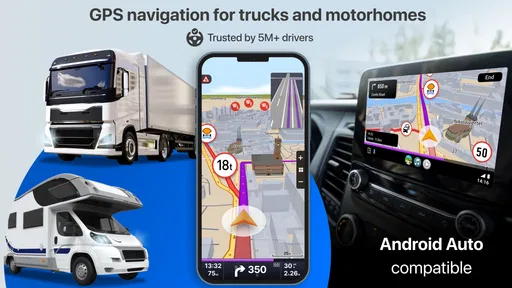
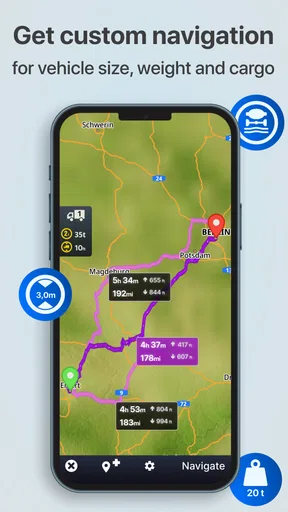
First off, the app promises something quite unique: navigation tailored specifically for trucks, caravans, and RVs. It does this by considering the dimensions, weight, and even the type of cargo you're hauling. This means you can avoid those pesky low bridges and narrow roads that could turn your trip into a nightmare.
When I first fired up the app, I was impressed by its sleek and intuitive interface. Setting up your vehicle's profile is a breeze. You simply input details like height, length, width, and weight, and the app does the rest, calculating routes that are safe and efficient.
Features That Stand Out
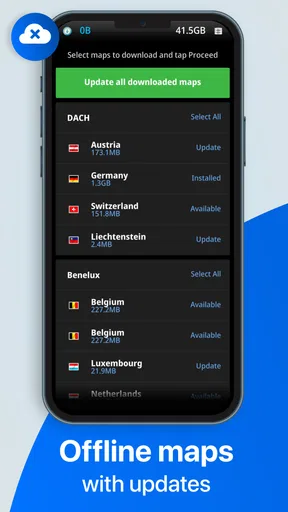
One of the standout features is its offline maps. That's right, you can download maps for entire countries and access them without a data connection. This is a lifesaver when you're in remote areas or trying to save on roaming charges.
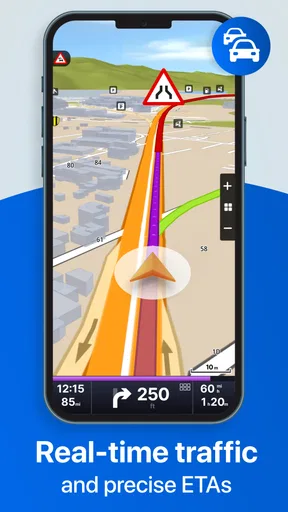
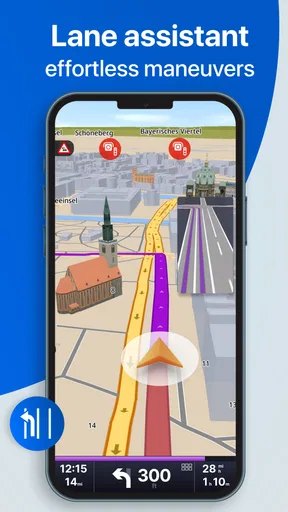
The app also boasts real-time traffic updates, which is crucial for avoiding unexpected delays. I found this particularly handy during peak travel times. Plus, the lane guidance feature is spot-on, ensuring you’re always in the right lane, preventing those last-minute swerves.
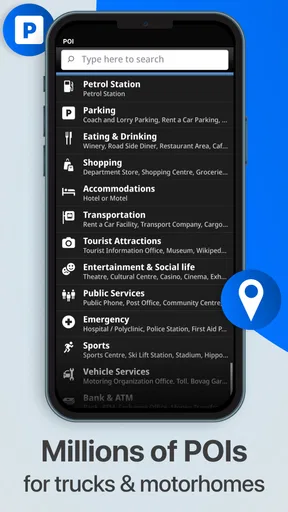
Another neat addition is the POI (Points of Interest) tailored for truckers and RV enthusiasts. Whether you're looking for a truck stop, camping ground, or a rest area, the app has you covered. The database is extensive, and I appreciated the user reviews and ratings for these spots, helping me make informed decisions on where to stop.
Putting the route planning to work
A useful habit with any vehicle-aware navigator is to enter the real dimensions of the vehicle you are driving, not a rough estimate or the figures for a different van. If you tow a caravan, think about the combined setup when entering the profile. Small errors can undermine the point of routing for height, width, or weight, so I would check the vehicle details before a long journey and again whenever I switch vehicles.
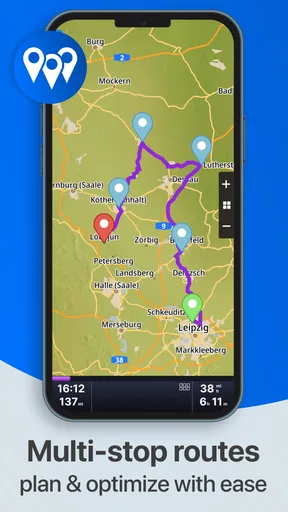
Here is a practical scenario: I am taking a caravan to a campsite beyond a town I do not know, and the drive includes a motorway exit, smaller connecting roads, and a final stretch where stopping options matter. I would plan the route before leaving, download the relevant map while connected, and check the destination and nearby rest or camping points. That preparation gives me a fallback if the connection drops and helps me avoid making a last-second decision in an unfamiliar place.
Offline maps are especially useful as a backup, but they do not make every part of a trip independent of connectivity. The downloaded map can help with navigation where data is unavailable; live traffic, by its nature, is most useful when current updates can reach the app. I would therefore treat the offline map as protection against dead zones, not as a guarantee that traffic conditions will be current throughout a remote drive.
Safety First with Sygic
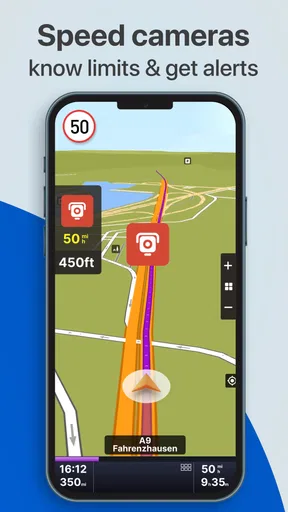
A feature that should not be overlooked is the speed limit warnings. They’re not just a gentle reminder; they’re a gentle nudge to keep you safe and ticket-free. The speed limits adjust based on your vehicle’s profile, which is a thoughtful touch.
The app also includes safety camera alerts, which are updated regularly. For someone like me, who tends to have a lead foot, this feature is invaluable.
I still see alerts as prompts, not substitutes for attention or local road signs. A vehicle profile helps make navigation more relevant, but I would not let a screen or spoken instruction overrule a posted restriction, temporary road sign, or the conditions in front of me. In a large vehicle, slowing down early and choosing a safe place to respond is more useful than trying to correct a route while moving.
Customizability and Usability
One thing I love about Sygic GPS Truck & Caravan is its customizability. You can tweak the route preferences, opting for toll-free roads, avoiding unpaved roads, or preferring highways. It’s this level of customization that makes it feel like the app is truly working for you.
The user interface is clean and user-friendly. I found it easy to switch between 2D and 3D map views, and the voice navigation is clear and precise. You can even choose from different voices and languages, making it a versatile travel companion.
How it compares with familiar navigation choices
For a driver in a regular car, a familiar general-purpose maps app may be the simplest choice: it can be convenient for everyday directions and traffic checks without requiring a truck-oriented setup. The trade-off is that a general car route is not the same as a route planned around a tall, heavy, or wide vehicle. I would choose this app when vehicle restrictions and offline map access matter more than keeping every trip inside a familiar all-purpose tool.
It is also not automatically the best choice for every professional route. If your work depends on company-specific dispatch tools, a particular fleet workflow, or information beyond what this navigation app offers, your existing system may remain more useful. I would test the route planning on familiar roads before trusting it for a high-stakes delivery or an unfamiliar detour, and keep another way to check restrictions when the consequences of a mistake are serious.
Potential Drawbacks
No app is perfect, and while Sygic offers a lot, there are a couple of areas where it could improve. For instance, some users have reported occasional inaccuracies in traffic updates, which can be frustrating. However, in my experience, these were few and far between.
Also, while the app offers a free trial, accessing the full suite of features requires a subscription. That said, for serious travelers, the investment might be well worth it given the app’s robust capabilities.
There is a practical learning curve even when setup feels straightforward. The route preferences only help if they reflect your actual priorities: avoiding tolls can make a journey longer, while preferring highways may not suit a trip where the final approach uses narrow local roads. I would adjust one preference at a time and review the suggested route before setting off, rather than changing several options and assuming the result is automatically better.
The app is also less compelling if you drive a small car most of the time and only occasionally borrow a larger vehicle. Maintaining an accurate profile and learning a specialized interface may not repay the effort for rare use. Likewise, if you need the latest traffic picture at all times but often travel where mobile coverage is poor, offline maps help with map access but cannot replace live updates.
Who is most likely to get value?
I would put this on the shortlist for regular truck drivers, caravan owners, and RV travelers who want navigation shaped around vehicle dimensions and who sometimes travel beyond dependable data coverage. The combination of vehicle profiles, downloaded maps, traffic information, and travel-oriented places to stop addresses a coherent set of needs rather than just adding decorative options.
It is a weaker match for someone who wants a completely hands-off answer to every road restriction, never drives a large vehicle, or expects a single app to replace every professional fleet tool. The app is rated for Everyone, but that age classification does not mean every driving feature is appropriate to use without care: route decisions and alerts still require an attentive driver. I would set destinations and preferences while parked and leave the road itself as the priority.
Final Thoughts
Overall, Sygic GPS Truck & Caravan is a solid choice for anyone behind the wheel of a large vehicle. Its specialized features, user-friendly interface, and reliable navigation make it a top contender. Whether you're a professional truck driver or an avid camper, this app could very well become your new favorite travel buddy.
So, if you're gearing up for your next big adventure, why not give Sygic a spin? You might just find that it’s exactly what you’ve been missing on your travels. Safe driving!
Verdict
Strengths of Sygic GPS Truck & Caravan
- Highly accurate truck-specific routing.
- Offline maps prevent data usage issues.
- Customizable vehicle profiles for accuracy.
- Real-time traffic updates enhance planning.
- Extensive points of interest for truckers.
Limitations of Sygic GPS Truck & Caravan
- Subscription required for premium features.
- Heavy battery usage during long trips.
- Occasional map update delays.
- Interface can be complex for beginners.
- Limited support for some rural areas.
Other Releases by Sygic.
View All
Sygic GPS Navigation & Maps
Travel & Local4.2

Fuelio: gas log & gas prices
Auto & Vehicles4.2
Similar Picks in This Category
View All
Uber - Request a ride
Uber Technologies, Inc.4.7


inDrive. Rides with fair fares
® SUOL INNOVATIONS LTD4.8

Yandex Go: Taxi Food Delivery
Mikromobilnost LLC Belgrade4.8

Bolt: Request a Ride
Bolt Technology4.8

Rapido: Bike-Taxi, Auto & Cabs
Rapido Bike Taxi4.8
Frequently Asked Questions
What is Sygic GPS Truck & Caravan, and how does it differ from regular GPS apps?
Sygic GPS Truck & Caravan is a specialized navigation app designed specifically for truck and caravan drivers. Unlike standard GPS apps, it provides routes that consider vehicle dimensions, weight restrictions, and hazardous material regulations. This ensures safer and more efficient journeys, avoiding low bridges and unsuitable roads for large vehicles.
Is Sygic GPS Truck & Caravan available offline?
Yes, Sygic GPS Truck & Caravan offers offline capabilities by allowing users to download maps. This feature is particularly useful for drivers who may travel through areas with poor internet connectivity. Once the maps are downloaded, the app provides full navigation features without needing an active internet connection.
What features does Sygic GPS Truck & Caravan offer for truck drivers?
The app offers features such as customized routing based on vehicle size and load, points of interest tailored for truckers, real-time traffic information, and fuel price updates. Additionally, it includes an advanced warning system for road restrictions and alerts for sharp turns or steep inclines, enhancing overall safety.
Is Sygic GPS Truck & Caravan compatible with both Android and iOS devices?
Yes, Sygic GPS Truck & Caravan is available for both Android and iOS platforms. Users can download the app from the Google Play Store or the Apple App Store. It supports a wide range of devices, ensuring that most smartphone and tablet users can benefit from its features.
Does Sygic GPS Truck & Caravan require a subscription, and if so, what are the costs involved?
Sygic GPS Truck & Caravan operates on a subscription model. Users can choose from various plans, including monthly and annual subscriptions. The cost may vary based on the region and the specific features required, such as real-time traffic updates or premium map options. Free trials may also be available.
